How to Schedule TikTok and YouTube Reels
Step-by-step guide to scheduling TikTok videos and YouTube Reels using Postbolt, upload your video, select accounts, add a description, and set a publish time.
Posting consistently on TikTok and YouTube is one of the most effective ways to grow, but being online at the exact right moment every day isn't realistic.
Postbolt lets you schedule your videos in advance so they go live automatically, even while you sleep.
This guide walks you through scheduling a TikTok video or YouTube Reel using Postbolt, step by step.
Why Schedule TikTok and YouTube Reels?
Both TikTok and YouTube reward consistency. Their algorithms favor accounts that publish regularly, and posting at peak times, when your audience is already scrolling, gives your content the best chance of getting pushed to new viewers.
The problem: peak times don't always align with your schedule, so scheduling solves this entirely.
You create the content when it suits you, and Postbolt handles the publishing at the right moment.
Step-by-Step: Schedule a Video with Postbolt
Step 1: Create a Post
Log in to Postbolt and click New Post on the sidebar. This opens the post editor where you'll set everything up before scheduling.
Step 2: Upload Your Video
Click the upload area or drag and drop your video file directly into the editor. Postbolt supports the standard formats for both TikTok and YouTube Reels.
Once uploaded, your video will appear in the preview so you can confirm it looks right before scheduling.
Step 3: Select Your Accounts
Choose which accounts you want to publish to. Postbolt supports both TikTok and YouTube accounts, so you can cross-post the same video to both platforms in a single step.
If you manage multiple accounts, for example, several TikTok profiles or YouTube channels, you can select as many as you need. Each account will receive the post independently.
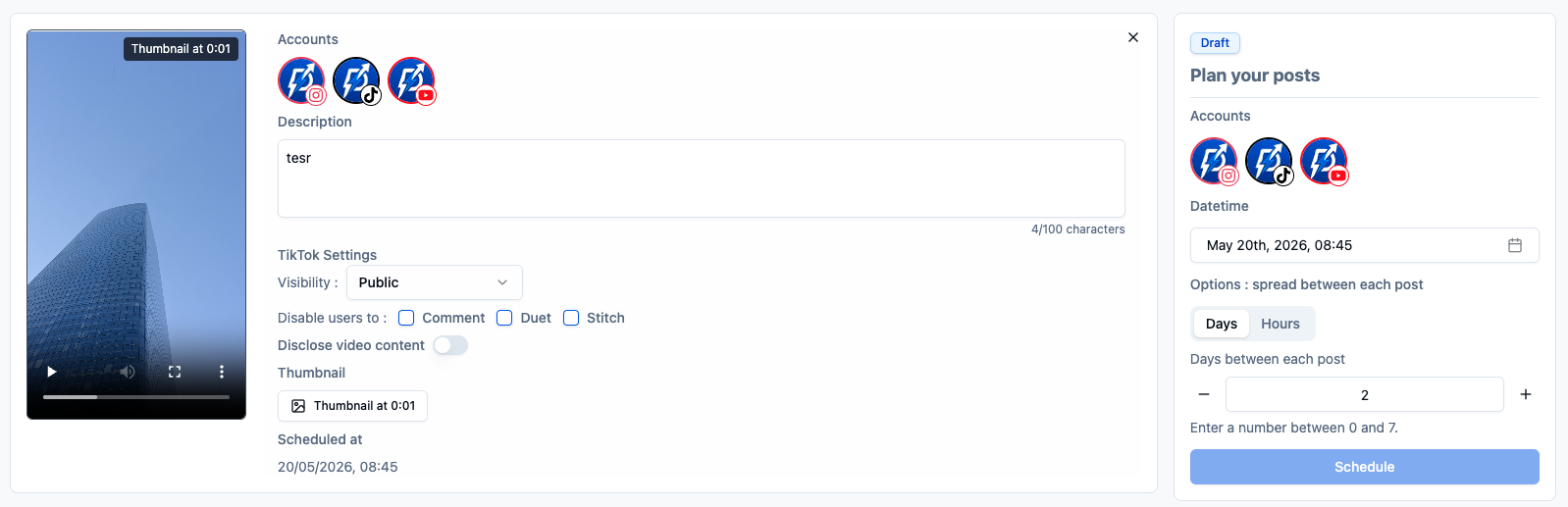
Step 4: Add a Description
Write your caption in the description field. A few things to keep in mind:
- TikTok supports up to 2,200 characters. Include relevant hashtags to help the algorithm categorize your content.
- YouTube Reels descriptions appear on the video and in search results, write something that explains the video clearly.
Step 5: Select a Publish Time and Schedule
Pick the date and time you want your video to go live. Postbolt displays the time in your local timezone, so there's no mental math involved.
Once you're happy with everything, click Schedule. Postbolt takes it from there, your video will be published automatically at the time you chose, on every account you selected.
Tips to Get the Most Out of Scheduling
Batch your recordings. Film multiple videos in one session, then schedule them to drip out across the week. One hour of filming can cover 5–7 days of content.
Post at your audience's peak hours. Check your TikTok and YouTube analytics to see when your followers are most active. Schedule your posts to land in those windows.
Cross-post to save time. The same short video often performs well on both TikTok and YouTube Reels. Use Postbolt to publish to both with a single upload instead of repeating the process twice.
Plan around trends. If you know a relevant holiday, event, or trend is coming up, create the content early and schedule it to publish at exactly the right moment.
The Bottom Line
Scheduling your TikTok videos and YouTube Reels with Postbolt takes less than two minutes per post. You upload once, fill in the details, pick a time, and you're done. No need to be online, no scrambling to post manually, just consistent, well-timed content going out on autopilot.
Post without worrying about captions or cuts
Upload raw videos in bulk, auto-cut your clips, auto-generate captions, and publish when you're ready.
Start free trial